How to Create SaaS Product Tours (to Improve Onboarding)

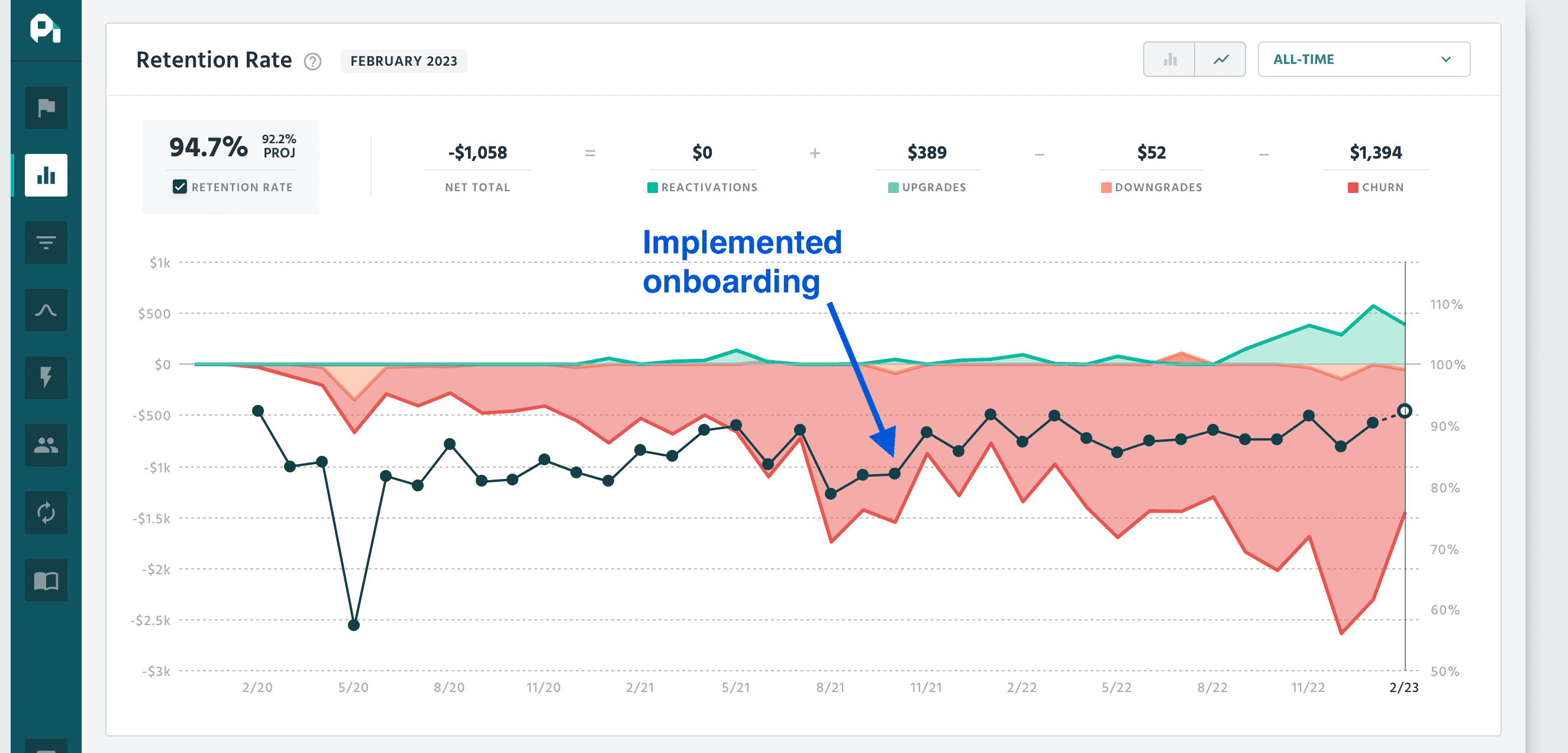
Most SaaS products don’t lose users because they lack features, but because their users never reach the moment where the product clicks. Onboarding is where that moment should happen. If it doesn't, users leave. 21% users abandon an app after one time use, and the main reason for that is because they don't understand how to get value out of it.
Product tours can help close that gap. But that's only if they’re designed the right way. Too many teams treat tours as mini manuals, piling on steps and explanations. But that's not what a good product tour does. Instead, it removes uncertainty, guides users toward a meaningful action, and then gets out of the way.
This article explains how to create SaaS product tours that actually improve onboarding, without overwhelming users or turning your UI into a full on lecture.
Why Product Tours Work When They’re Done Right
When product tours are designed well, they have a measurable impact on user behavior. Data suggests that interactive product tours increase feature adoption by 42%. That matters because early feature adoption is closely tied to retention and long-term usage.
There’s also a broader retention effect. 76% of customers are more likely to stay after a positive onboarding experience, and 89% of customers who have a bad onboarding experience will turn to a competitor. What’s notable in practice is that these results tend to come from short, contextual tours. Teams using tools like Hopscotch often see better engagement when tours are triggered exactly when users need help, not immediately on signup.
Step 1: Decide Whether a Product Tour Is Even the Right Solution
Before designing a tour, you need to be clear about what’s actually going wrong for new users. Product tours work well when there’s a clear, recurring friction point early in the journey. This is something users need to do to experience value, but don’t intuitively understand. That could be a setup step, a hidden feature, or a workflow that feels intimidating the first time.
They tend to work poorly when they’re used as a default solution. If users already explore naturally, or if confusion is limited to a single UI element, a full walkthrough may do more harm than good. Overusing tours trains users to ignore them, and once that happens, even genuinely helpful guidance gets dismissed.
Step 2: Start With a Clear Outcome
The most common mistake teams make is building product tours around features instead of outcomes. A tour that exists to “show users around” has no finish line, and no way to tell if it worked. A strong product tour is tied to one concrete outcome. For example:
Creating a first project
Publishing something live
Inviting a teammate
Completing an initial setup step
Every step in the tour should justify itself against that outcome. If a step doesn’t help the user reach it faster or with more confidence, it doesn’t belong.
Step 3: Choose a Format That Matches the User’s Task
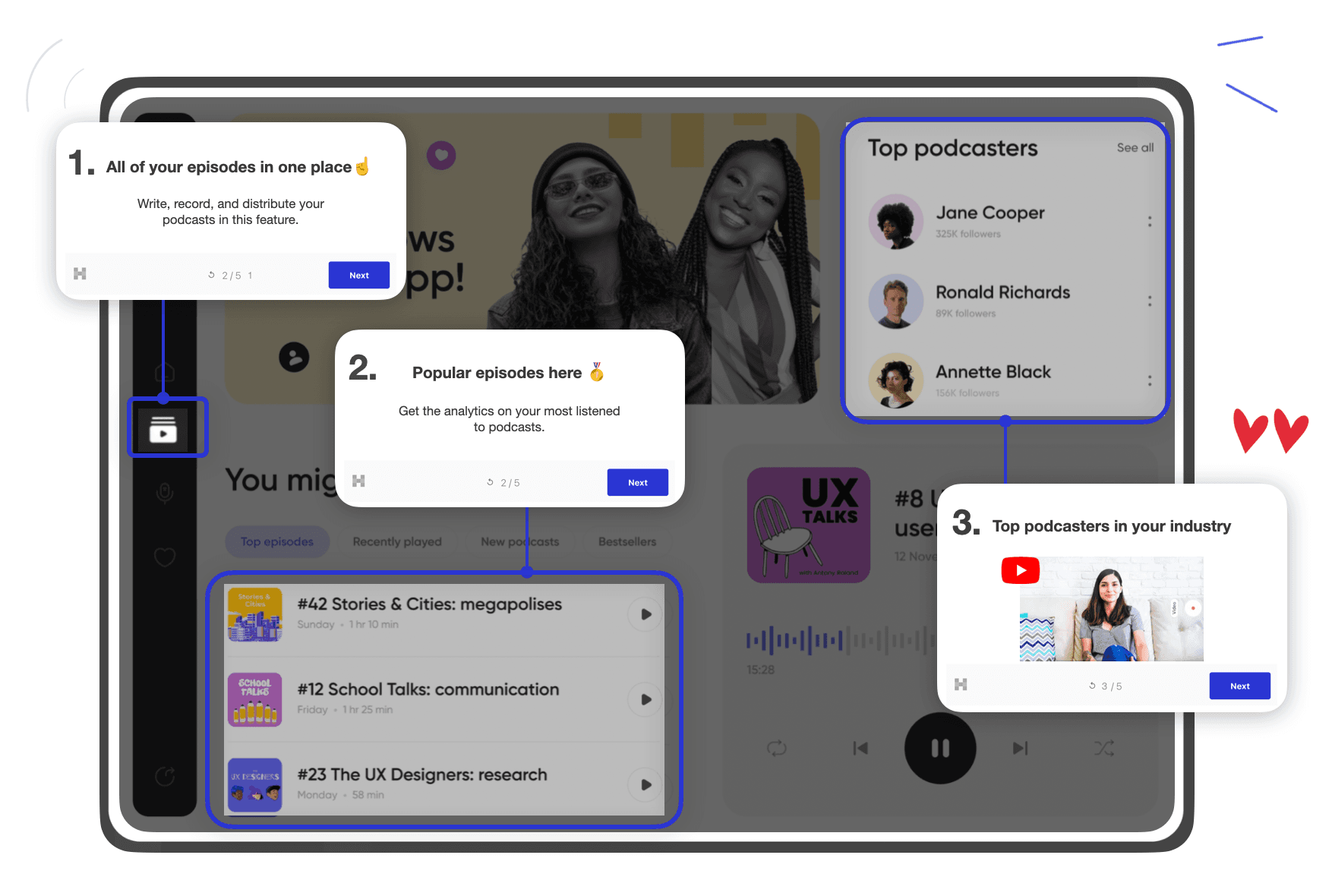
The format you choose for your product tour should depend on how much structure the user actually needs. A linear walkthrough makes sense when users must complete a specific sequence of actions to unlock value. Contextual tooltips work better when users are exploring and just need clarification at certain moments. Lightweight welcome steps can help orient users without locking them into a rigid flow.
Step 4: Keep the Tour Short and Intentional
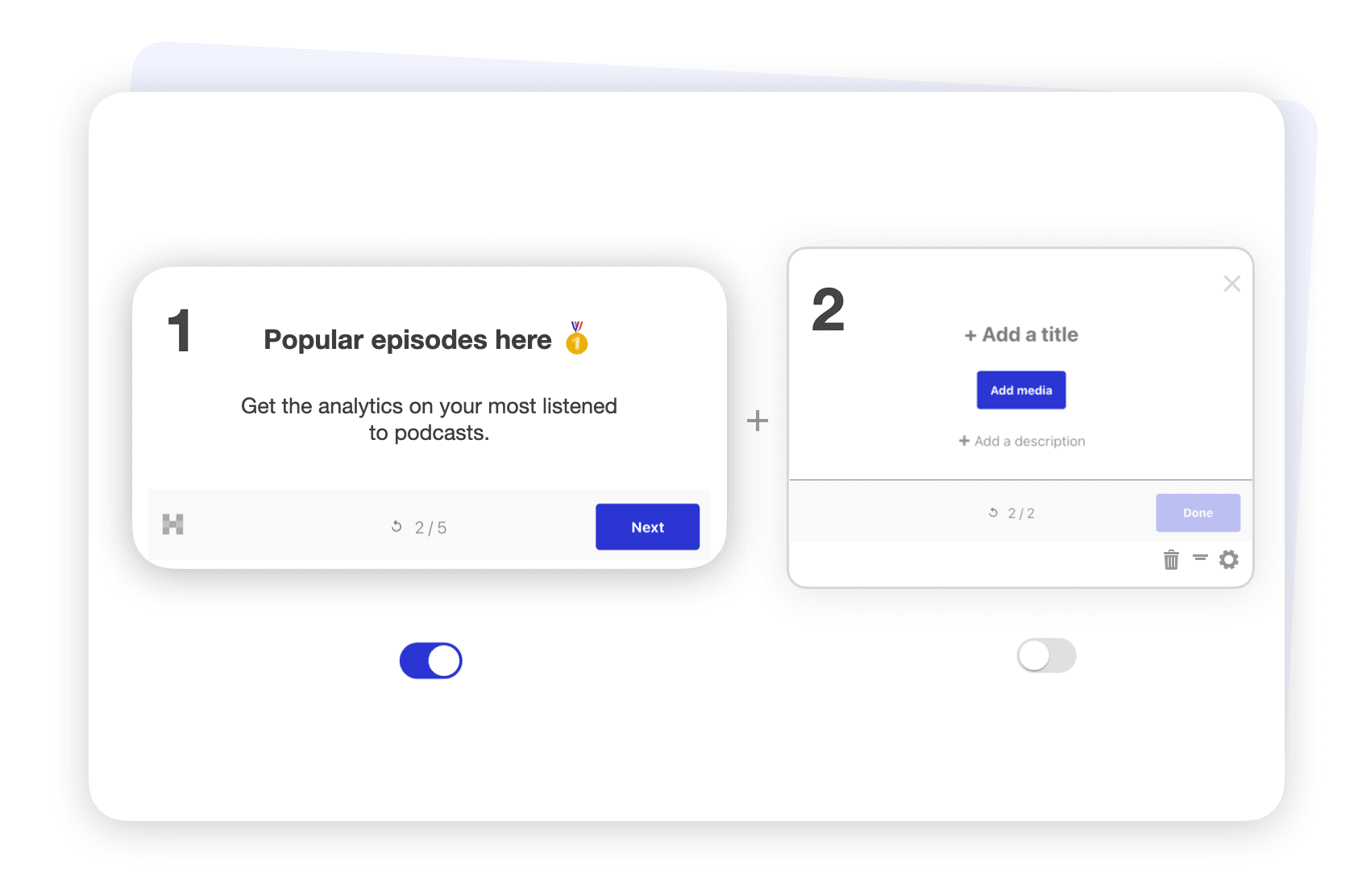
Most effective product tours are shorter than teams expect. In many SaaS products, four or five steps are enough to guide users to their first meaningful success. A strong tour usually follows a simple rhythm: briefly orient the user → guide them toward a valuable action → reinforce progress once that action is complete.
Anything beyond that risks diluting the experience. Advanced functionality can always be introduced later, with separate tours or contextual guidance once users are more comfortable.
📚 Also read: 11+ Proven SaaS Growth Hacks for Rapidly Scaling Your SaaS
📚 Also read: Ultimate Guide to Product-Led Growth with 9+ Examples
Step 5: Write Copy That Sounds Like a Helpful Human
Product tour copy should never feel like documentation. It should feel like a teammate pointing something out at exactly the right moment. That means short sentences, clear language, and a focus on why this matters right now. Instead of explaining what a button does, explain what clicking it unlocks. Rule of thumb: if the copy wouldn’t sound natural out loud, it probably doesn’t belong in a tour.
Timing and Targeting Matter More Than Polish
Even a well-written tour fails if it appears at the wrong moment. Showing guidance too early can be just as harmful as showing nothing at all. Early on, simple rules go a long way: trigger tours only on relevant pages, avoid repeating them endlessly, and let users dismiss or postpone them without penalty.
This matters because onboarding quality affects more than engagement. When deciding to subscribe to a service or purchase a product, 63% of customers take the onboarding period into consideration.
Step 6: Build Quickly, Then Iterate Based On Real Usage
No-code tools make it easy to build and adjust product tours without involving engineering, and that speed matters, because onboarding is never finished. Tools like Hopscotch are built around fast iteration. Create a short tour, publish it, observe how users respond, and refine it. Teams that treat tours as living onboarding assets tend to outperform those who ship them once and forget about them. Iteration beats completeness every day of the week.
Measure Success by Outcomes
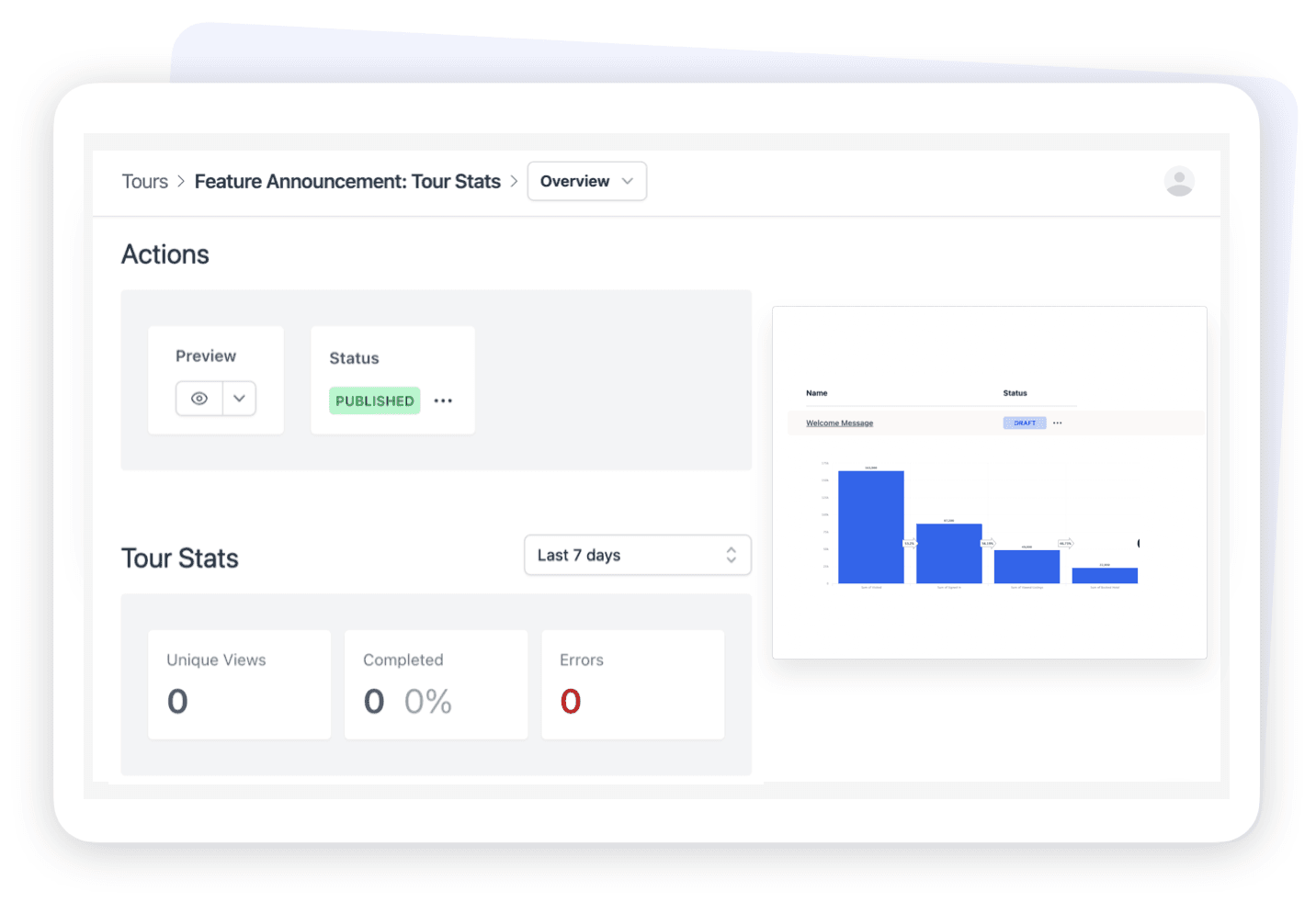
A completed product tour doesn’t automatically mean it worked. Completion only tells you that users clicked through the steps. But what truly matters is that they reached value.
If the goal of the tour was activation, then activation is the metric that counts. If the goal was helping users configure a feature, then successful configuration is the signal you should care about. Not tour completion.
This means you have to look beyond surface-level metrics. Activation rates before and after the tour, time to first meaningful action, and drop-off points within the flow all provide far more insight than a simple “completed vs skipped” chart. A tour that fewer people finish but that meaningfully increases activation is more successful than one everyone clicks through and immediately forgets.
Quantitative data tells you what is happening, but not why. That’s where lightweight feedback helps. A single question at the end of a tour can reveal whether steps felt confusing, unnecessary, or mistimed. These small signals often explain patterns you’d never catch in analytics alone.
Over time, good measurement also shows you when a tour has outlived its usefulness. As your product becomes more intuitive and users need less guidance, some tours will stop moving the needle. Removing or retiring them is usually a sign that your onboarding, and your product, are improving.
FAQ
What Is a Product Tour In SaaS?
A product tour is an in-app guide that helps users understand and use a product by showing key actions or features. Unlike documentation or videos, product tours are contextual and interactive.
How Long Should a SaaS Product Tour Be?
Shorter is almost always better. Most effective product tours are between three and five steps, focused on a single outcome that helps users reach value quickly.
Are Product Tours Better Than Onboarding Checklists?
They solve different problems. Product tours are best for guiding users through specific actions, while checklists help structure broader onboarding progress. Many teams use both together.
When Should a Product Tour Appear?
Ideally, when the user reaches a moment of uncertainty or opportunity. This might be their first visit to a key page, or right before an important action. Showing tours too early or too often reduces their effectiveness.
Do I Need Developers to Build Product Tours?
No. No-code tools like Hopscotch allow product, growth, and customer success teams to build and iterate on product tours without engineering involvement.
📚 Also Read:
Convert more trials with Hopscotch
Simple and delightful onboarding tours your users will love.